Bring leads into one place.
Enter a new enquiry or import a CSV, PDF or screenshot. Review the extracted name, contact details, address and requirements before saving.


THE PRODUCT TOUR
From the first screenshot of a lead to the next annual service. See how ACGO helps you work faster, present your business professionally and stay close to every opportunity.
Private pilot · current tools and planned connections are labelled throughout.
CAPTURE
Turn “I’ll get back to them” into a clear next step. Capture the customer once, then carry their details through the whole job.
Available in the pilotEnter a new enquiry or import a CSV, PDF or screenshot. Review the extracted name, contact details, address and requirements before saving.
Record the source, date added and what the customer wants. Keep communication history and follow-up tasks beside the lead.
Book a survey in the diary or start it from the existing lead, keeping the information you already have. Archive old enquiries without losing their history.
Included in every package
SURVEY & SHOW
Capture the installation as you walk around the property. Then show the customer a considered proposal, while the details are fresh.
Available in the pilot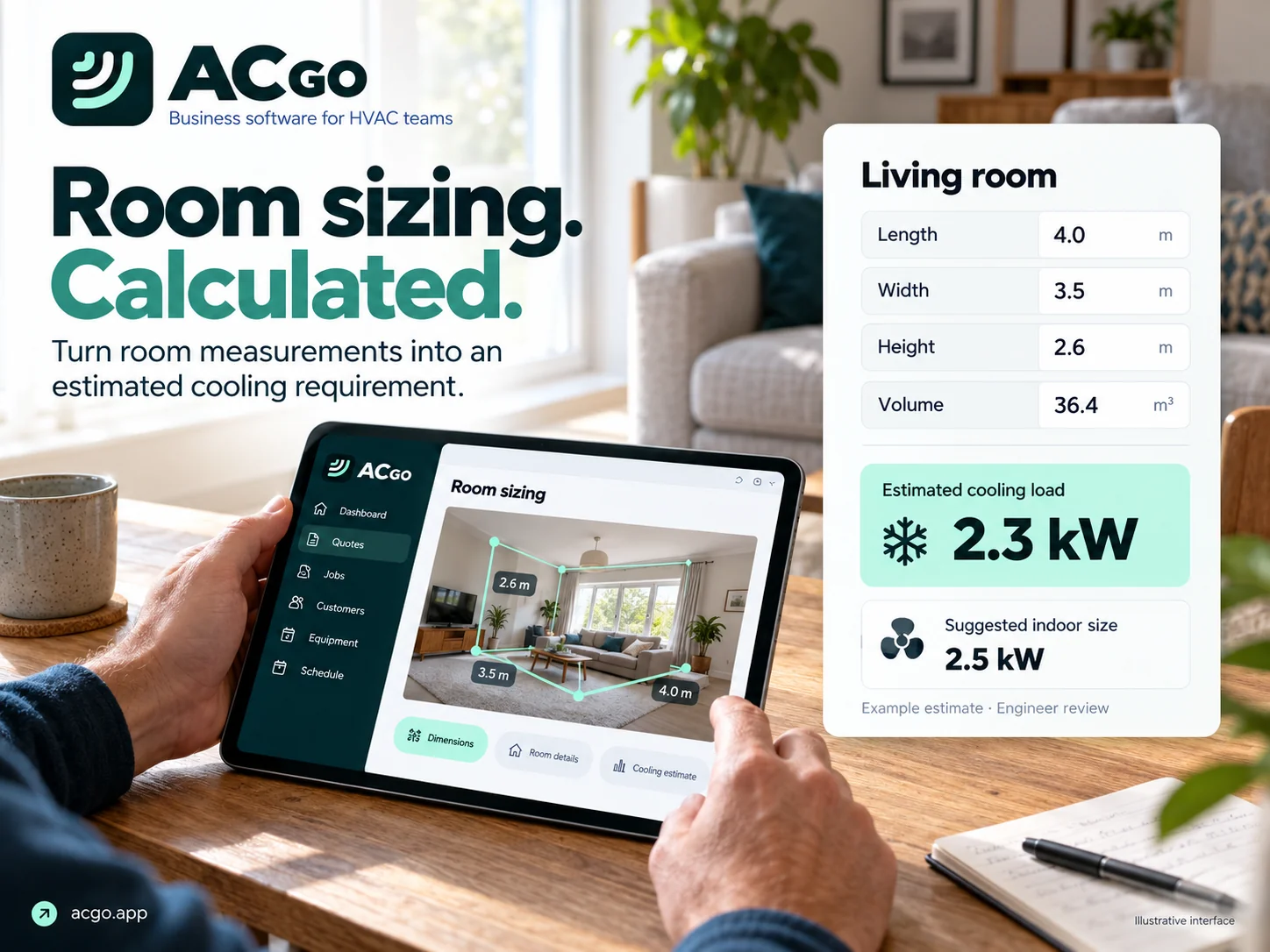
Measure rooms, record glazing and insulation information, choose equipment types and keep photos beside the correct room. Photos and notes are optional.
Place indoor and outdoor product images on survey photos. Adjust their position and scale, draw connected trunking and undo changes while discussing the layout.
Review preliminary room loads and suggested capacities. Select brand and model, pair rooms with outdoor systems and review electrical, drainage, access and trunking requirements.
Saved survey details flow into pricing, documents and the installer’s job information. Autosave keeps connected work moving; dependable offline opening is still in development.
Sizing estimates and visual layouts need an engineer’s review. They are not certified design calculations or scale drawings.
PRICE & PROPOSE
Use your company’s prices to build the job, then present the customer with a clear proposal under your own brand.
Available in the pilotSet equipment, trunking, pipework, materials and labour defaults. Adjust costs for the job, include pumps, access and electrical allowances, and review materials markup privately.
Prepare a branded PDF with the selected equipment, scope, survey imagery, total price and deposit information. Keep detailed purchase costs separate from the customer proposal.
Download the PDF or prepare it for your device’s email/share app. Record when it was sent and track outstanding quotes, their value, and follow-up reminders.
Advanced includes the connection workflow for polishing quotation wording from the survey. It requires a configured, verified provider API account and live testing; the engineer reviews the draft.
Core quoting is available in the pilot. Direct email delivery and automatic follow-up sending are not connected.
WIN & DELIVER
Keep the accepted quote, equipment order, deposit and diary together so the office and installers are working from the same information.
Available in the pilot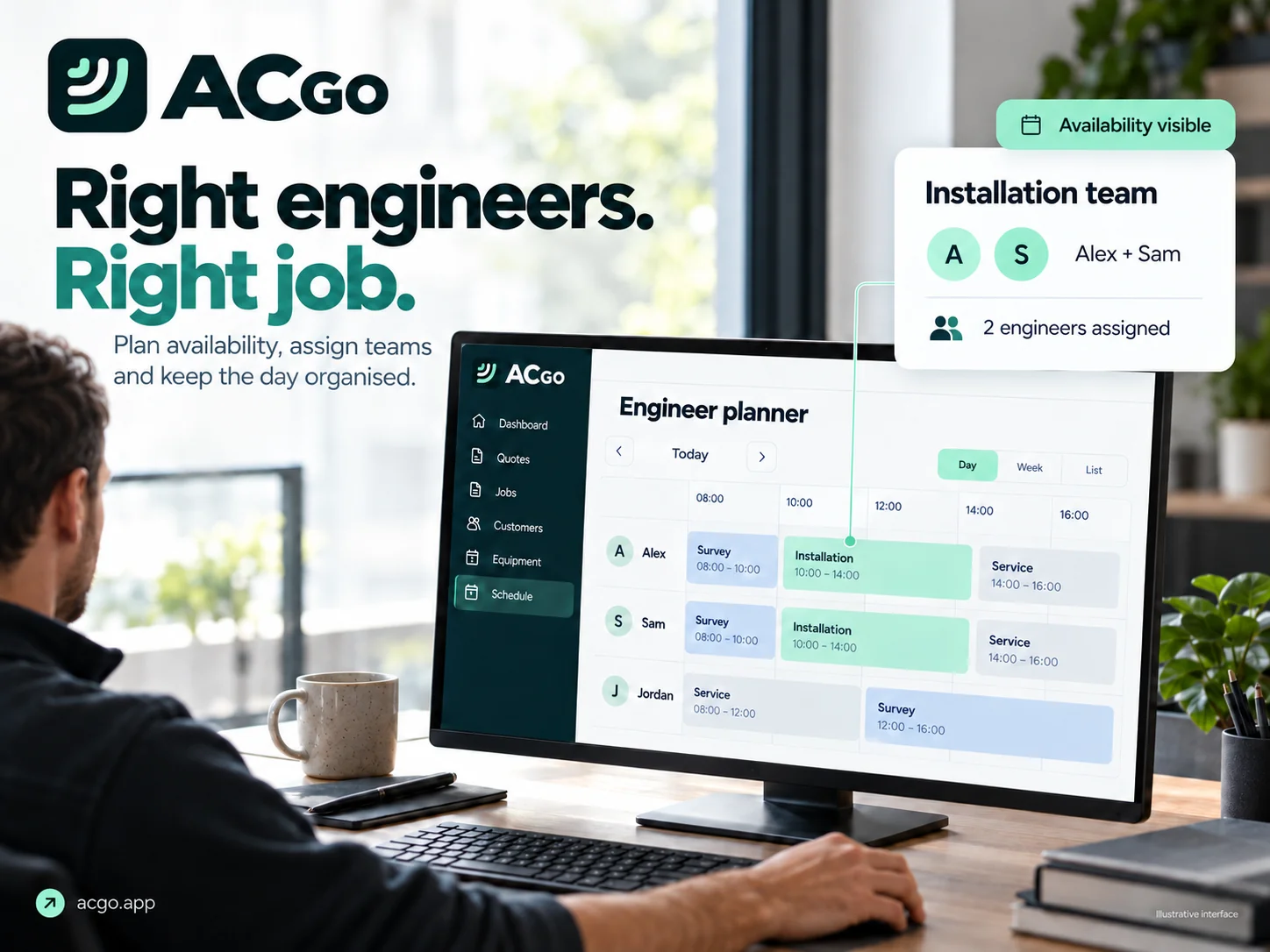
Build a supplier draft from the accepted indoor and outdoor units, quantities, model numbers and capacities. Include the job reference, supplier, collection or delivery address and requested date.
Prepare a separate PDF with the job address, supply runs, circuit observations, electrical allowance and relevant site photos. Send it from your mail app without sharing the full customer quotation.
Record quote acceptance and deposits, identify jobs waiting for an engineer, then assign one or more people in their diaries. Keep the job location and survey photos close to hand.
Each person has their own login. Engineers receive assigned job details and can upload completion information, with prices and finances kept out of their account.
Approve completion photos, record equipment serial numbers and warranty details, then combine the handover, photos, warranty documents and final invoice in one PDF. Record payments and review balances and invoice VAT. Booking messages and daily engineer emails can be prepared; automatic delivery is still being connected.
Included in every package
UNDERSTAND
Bring the numbers and the next actions together in a compact overview, without turning the working day into a spreadsheet.
Available in the pilotReview completed turnover, enquiries, surveys, quotes, wins and completed jobs. Compare activity with the previous period using the date filter and trend indicators.
View the count and value of issued quotes awaiting acceptance, separately from turnover. Open quotes and deposits are not presented as completed revenue.
Find the customer, property, previous surveys, jobs and communications from one record. Use the pipeline and follow-up views to decide what needs attention next.
Included in every package
LOOK AFTER
Make ongoing care a natural part of the installation handover. Less retyping, a clearer service history and a plan for the next visit.
Available in the pilot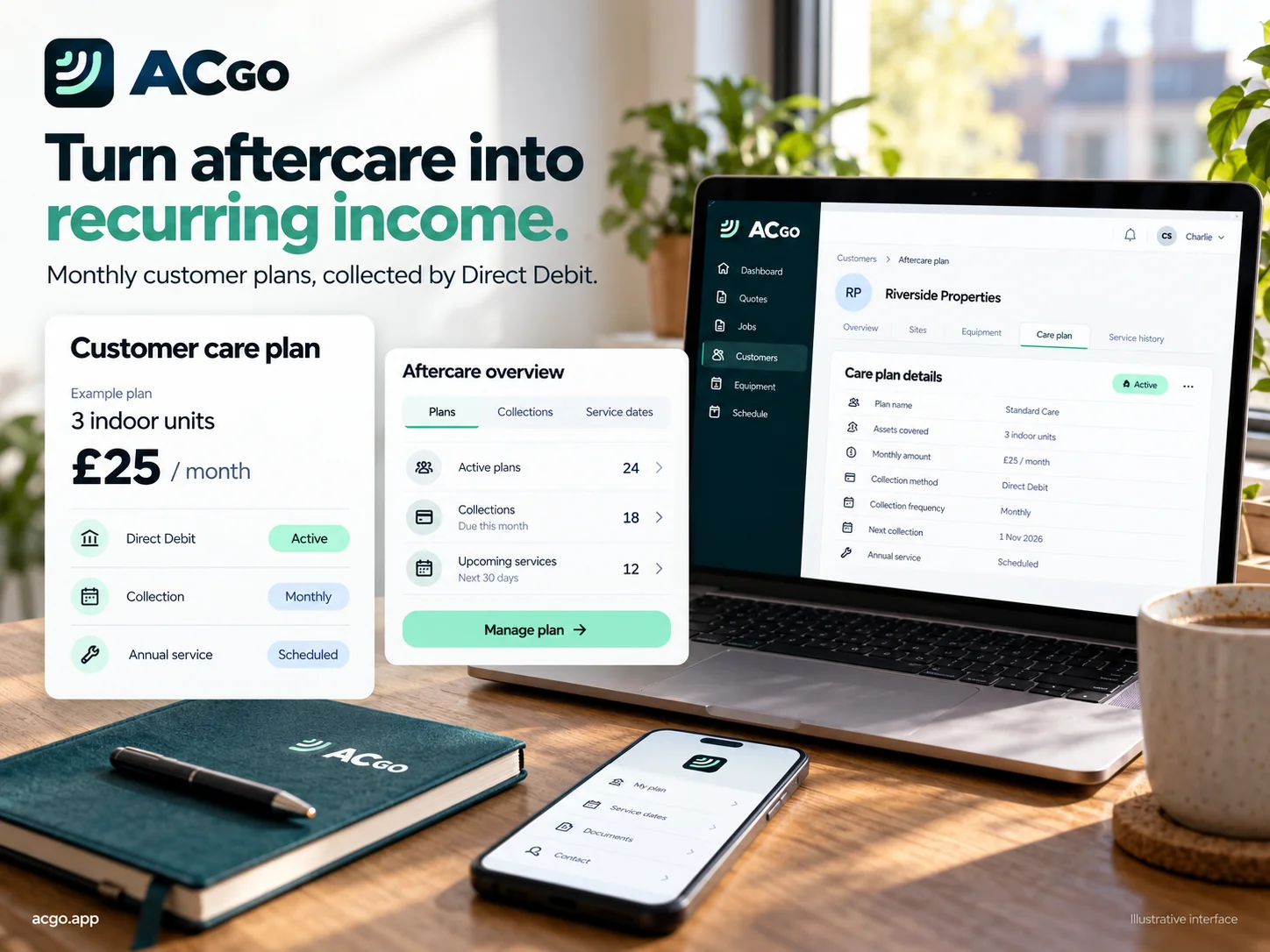
Select the existing customer and property to reuse their installed units. Set your own aftercare prices, proposed start date and next service due date.
Record refrigerant readings, engineer checks, findings and recommendations. Keep service photos and history together, with follow-up work and the next visit.
Use the separate breakdowns tool to search indexed manuals and model-specific fault references. Save useful documents and upload company PDFs you have permission to store.
The planned Direct Debit connection will cover mandates, collections and failed payments. For now, plans are drafts: they do not activate subscriptions or collect money.
Plan setup and servicing are included with Advanced. Direct Debit collection is planned.
SCALE
For commercial HVAC businesses preparing to manage substantial PPM contracts, Tailored brings contract scope, equipment and delivery into one workspace.
Available in the pilot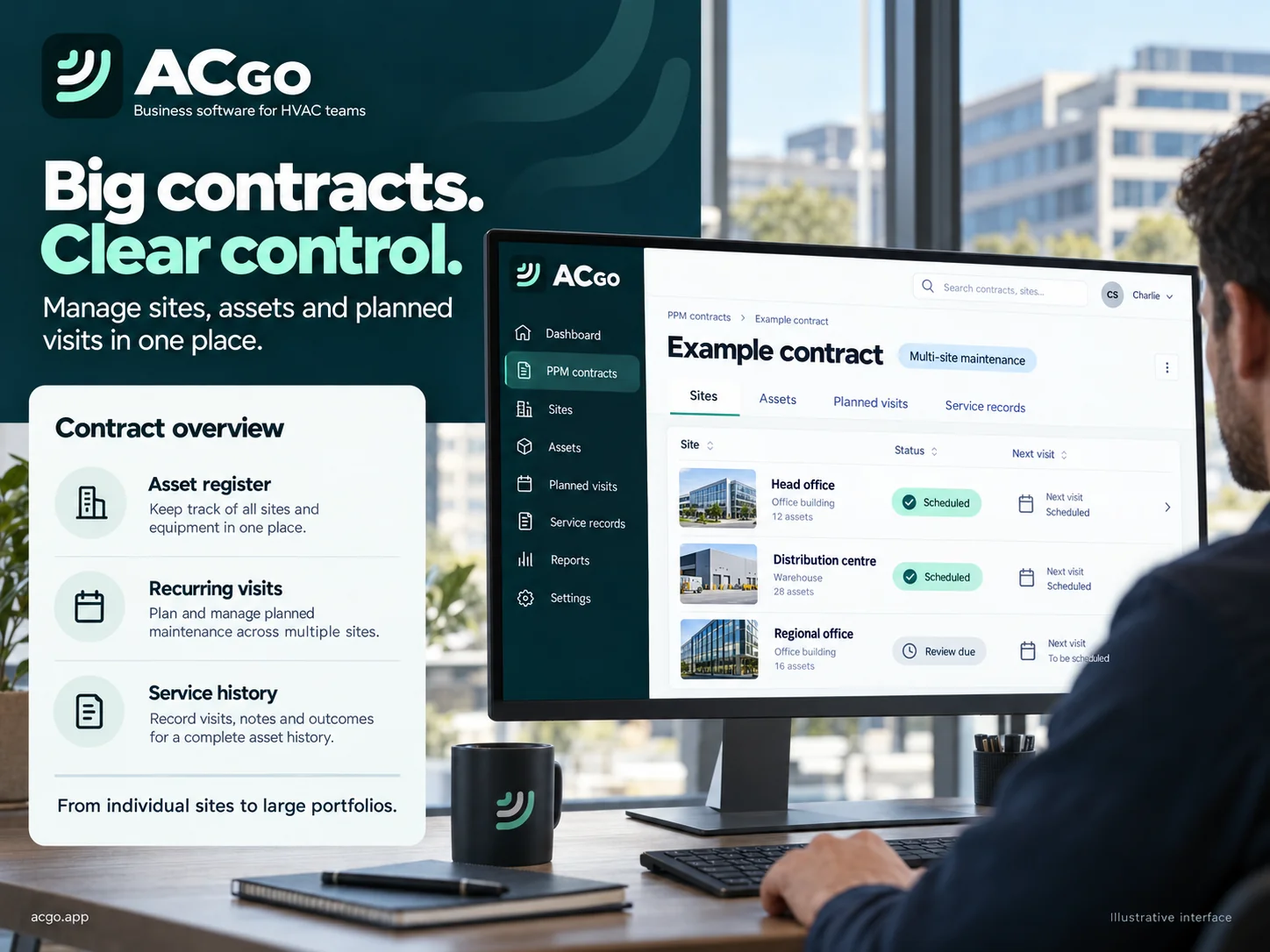
Record commercial clients, contract values, scope and renewal dates. Keep contract PDFs, purchase orders and site images attached to the record. Add sites and equipment registers, import assets by CSV and set service frequencies.
Prepare recurring visits and assign engineers. Keep due dates and service checklists visible, and review the engineer’s findings before producing the customer report.
Compare recorded visit costs with the contract budget. Keep office commercial information separate from the engineer’s work view.
Agree the package and onboarding around your portfolio. Customer portals, automatic contract billing and SLA alerts are planned extensions.
Tailored pilot by arrangement. Suitability for six- or seven-figure contracts must be assessed during onboarding; no enterprise performance or SLA guarantee is implied.
CONNECT YOUR BUSINESS
The aim is to make the services you already use work together. Here’s what the pilot can prepare, and what still needs connecting.
Check package availability ↗Connection settings for OpenAI, Claude, Gemini and Grok API accounts. Polish a quotation draft using the recorded survey information, then review it. Provider API billing is separate; this does not give an AI unrestricted access to your company.
Prepared setup workflows for company email, diary sync and accounting connections. Live sending, mailbox imports, two-way calendar sync and bookkeeping sync are not yet active. Device email drafts and manual records remain available.
Invoice records and manual payment matching give you a starting point. Live bank feeds, payment collection and aftercare Direct Debit need provider setup and testing before customers can use them.
Configure the information a receptionist needs about your company. Live phone answering, call diversion, diary checks and handover are planned, with phone usage charges to be agreed.
Supported-device room capture, measuring instruments and tracking providers are on the roadmap. Device compatibility and supported integrations will be published when tested; they are not live connections today.
LESS REPETITION. A CLEARER CUSTOMER EXPERIENCE.
Keep your enquiry, survey, proposal and next action in one place. Choose the tools and team size that fit your business.
Explore pricingSTART WITH A 14-DAY TRIAL
No ongoing free plan. Office users included. Basic and Advanced each include one engineer, then £10 per additional engineer / month.
£30/ month
Leads, unlimited surveys, quotes and jobs for a small air conditioning team.
Unlimited surveys
1 engineer included · office users included
£10 per additional engineer / month
£50/ month
For growing teams, with unlimited surveys, Aftercare and advanced tools.
Unlimited surveys
1 engineer included · office users included
£10 per additional engineer / month
For commercial contracts and tailored onboarding. Agree your site requirements and rollout with us.
Provisional pilot pricing, excluding VAT where applicable. Access is arranged with us; public signup and payment checkout are not yet connected.
See the full included / not included comparison ↗